Plan your day in 30 seconds
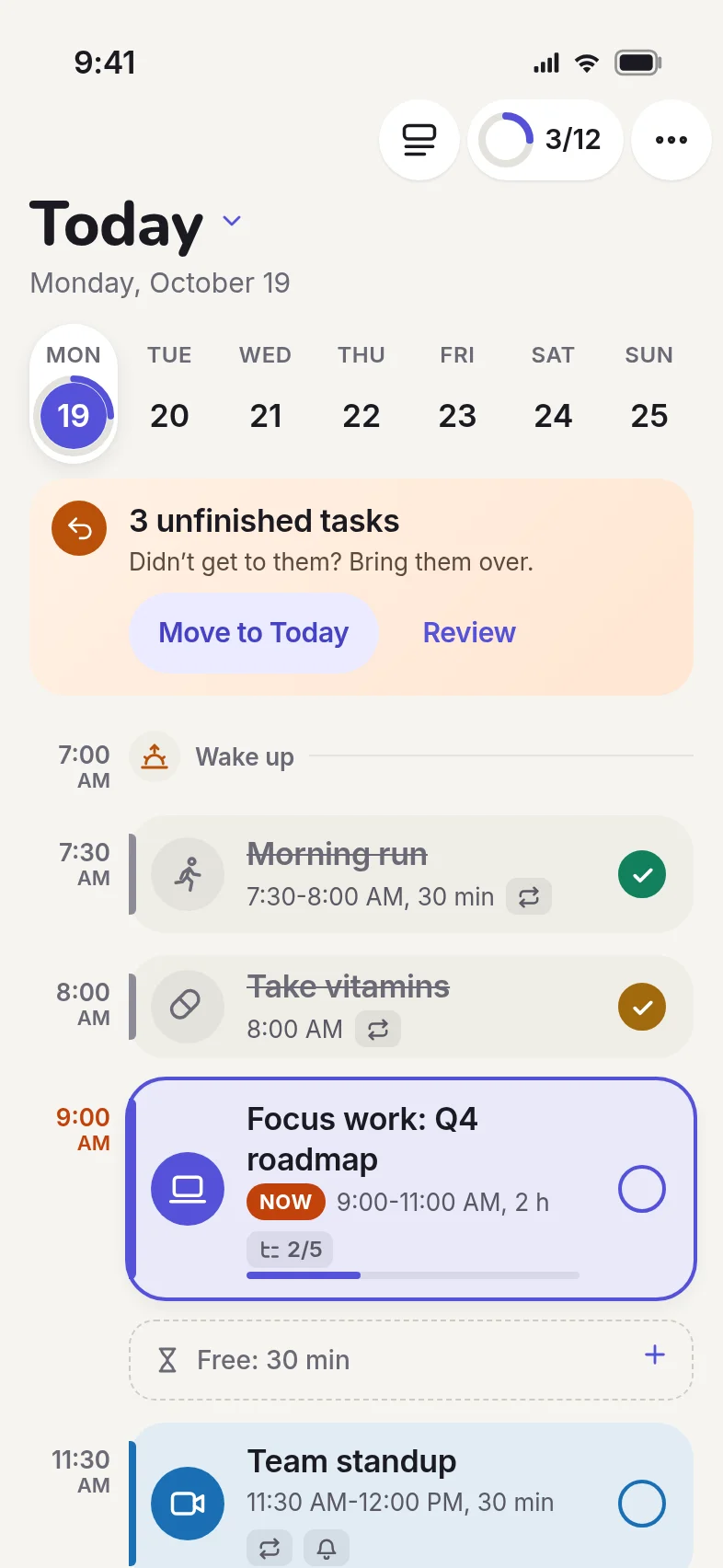
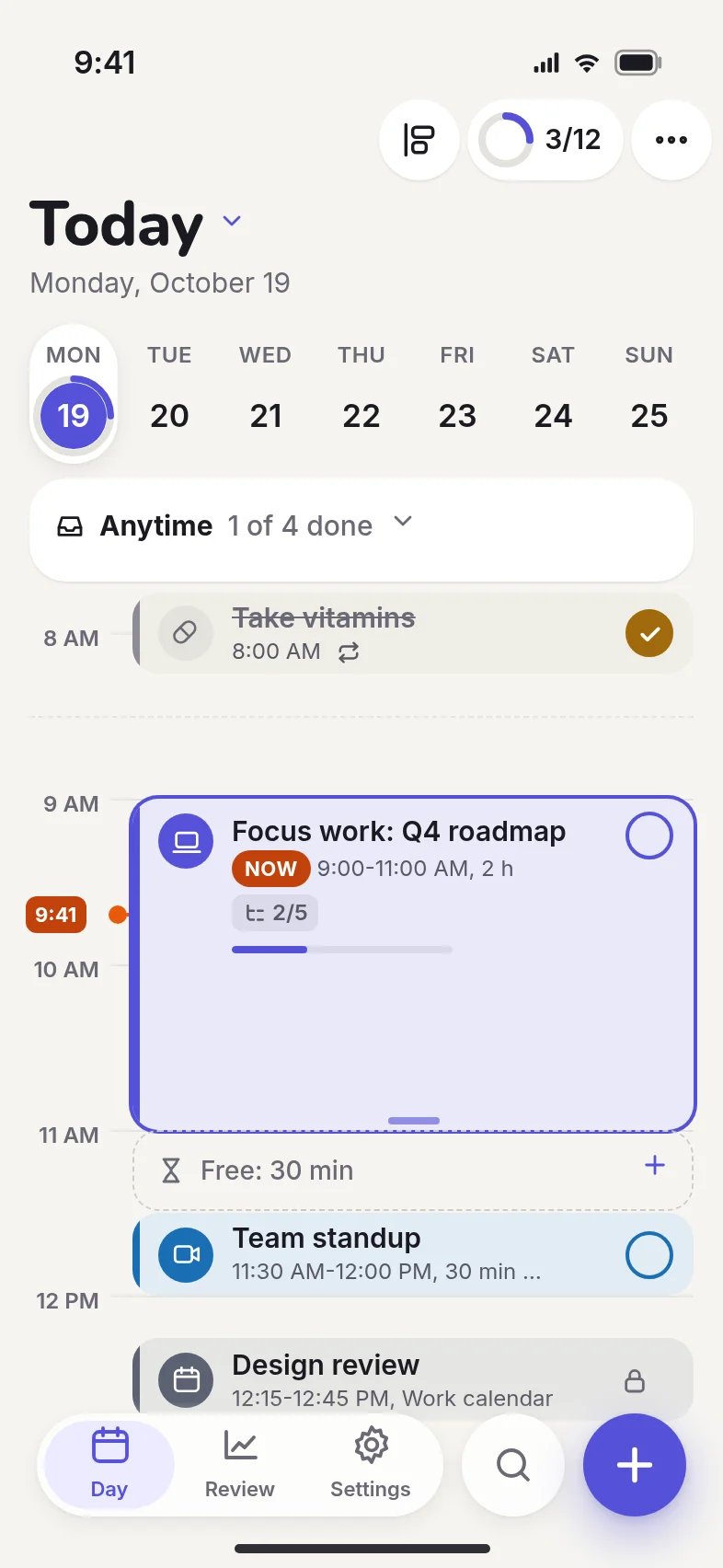
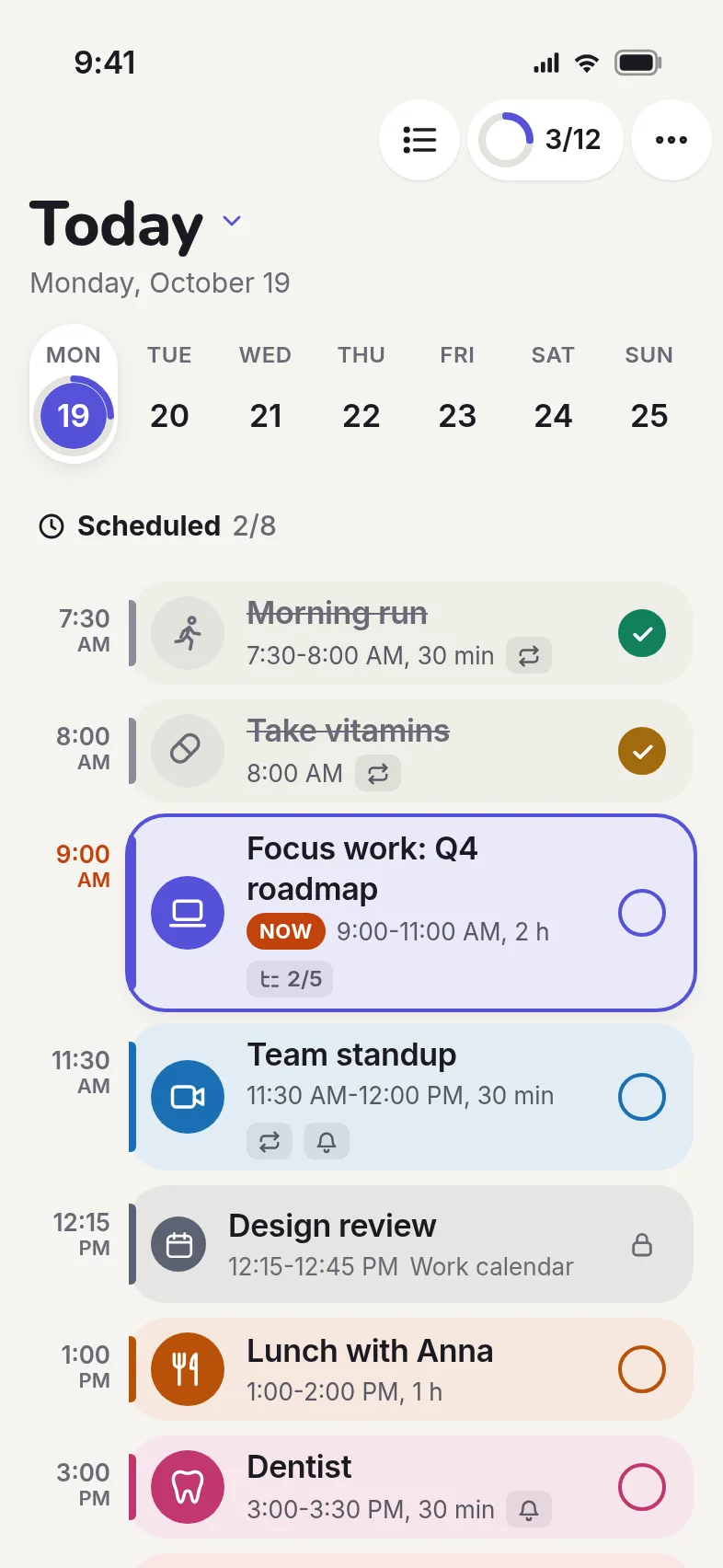
Plannly puts timed tasks on a timeline and everything else in a simple list for the day. Check things off, then see what you got done.
Everything your day needs
Timeline and list in one day
Put meetings and focus time on the timeline. Keep the rest in a list with no time. Pick Timeline, List or Mixed view.
Subtasks, repeats, reminders
Break big tasks into steps, repeat them daily, weekly or on your own schedule, and get a reminder before they start.
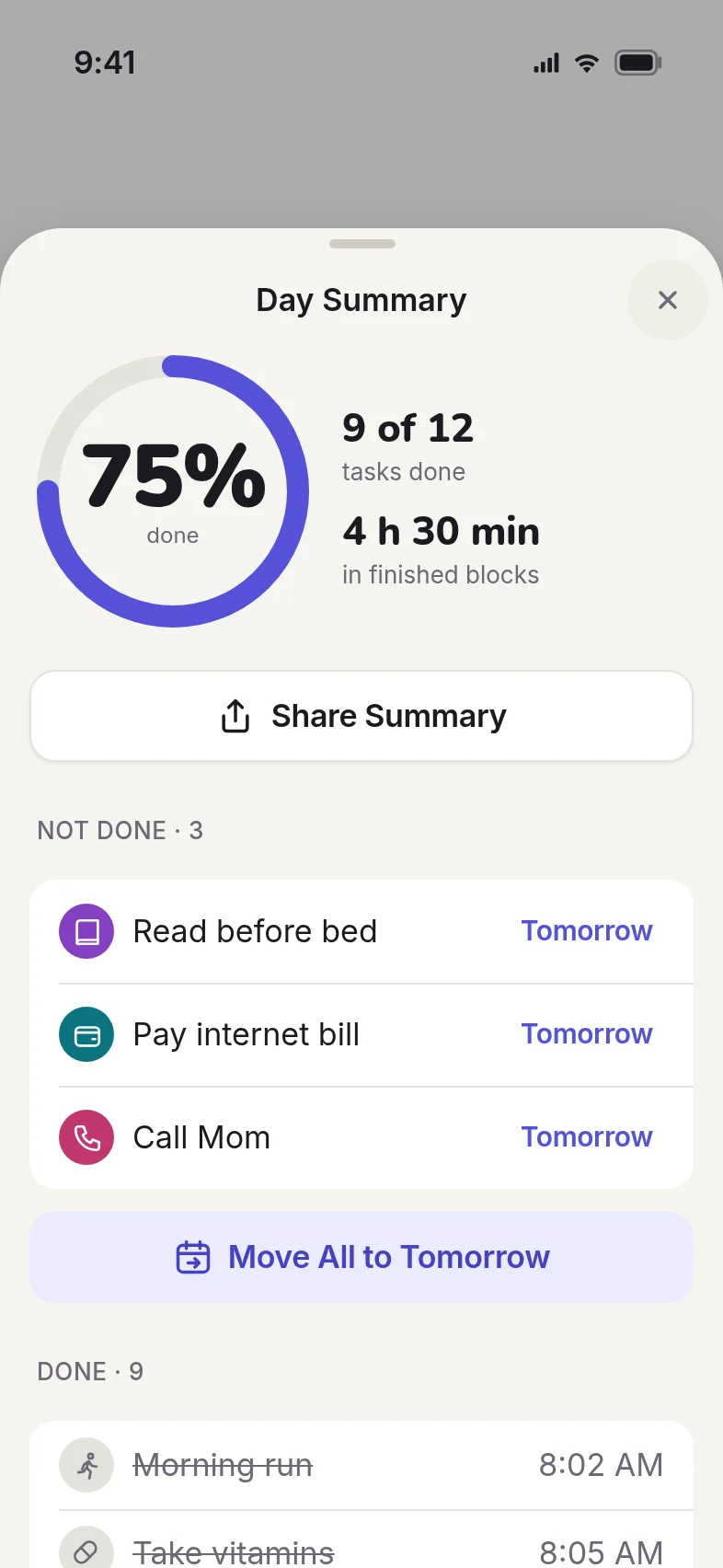
Done at the end of the day
Mark any task as done and see a calm summary of what you finished. Move what is left to tomorrow with one tap.
Widgets, search, templates
Check your day from the Home Screen or Lock Screen, find any past task, and apply a template to a new day.
Private by design
No account and no server. Your tasks live on your device, and in your own iCloud only if you turn it on.
A calm, clear day
Free to plan, Pro to go further
The core planner is free. Plannly Pro adds unlimited repeats, themes and icons, advanced widgets, templates and statistics. Subscribe yearly (7 days free) or monthly, or buy it once.
Questions
Is Plannly free?
Yes, the planner works without a subscription. Plannly Pro is optional and unlocks extra features.
Do I need an account?
No. There are no accounts and no Plannly server.
Where are my tasks stored?
On your device. If you turn on iCloud, they are also stored in your private iCloud, which we cannot access.
Which devices are supported?
iPhone and iPad with iOS 18 or later.
How do I cancel Pro?
Open Settings on your iPhone, tap your name, then Subscriptions, choose Plannly and tap Cancel Subscription.